How to tell teams apart by kit color in EA FC 27 Clubs
Set contrasting colors for home and away teams so you can tell players apart even when their kits look similar.
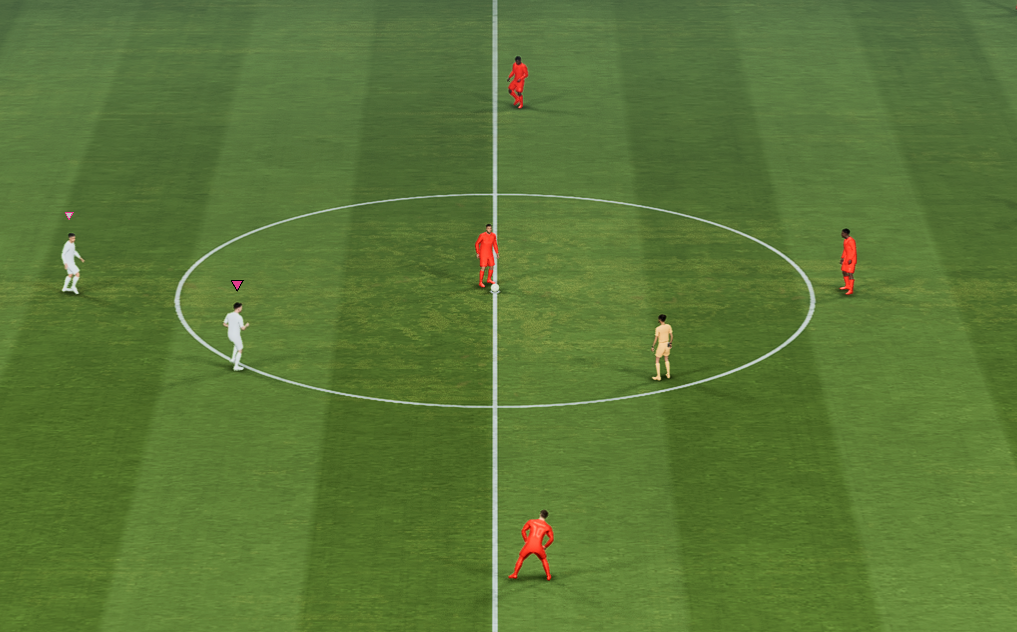
Colors are assigned to the home and away sides. If home is white and away is red, your club will wear white at home and red away. At kickoff, check which color you are playing in.
How to turn on high contrast
Open Game Settings → Visual → Contrast. Turn on High Contrast / Gameplay, then select Customize. The screenshots below show the Russian interface.
What each setting does
- high contrast intensity – how strongly the selected color overrides the original kit color;
- pitch color saturation – how vivid the grass looks. At the lowest setting, the pitch turns gray while kits stay in color;
- shader display – fabric only recolors the kit, while full body recolors the kit and skin;
- home team color – kit color for home outfield players;
- home goalkeeper color – a separate color for the home goalkeeper;
- away team color – kit color for away outfield players;
- away goalkeeper color – a separate color for the away goalkeeper;
- ball color – the highlight color for the ball;
- referee color – a separate color to make the referee easier to spot.
Settings to try first
Try white for the home team and vivid red for the away team, with high intensity and fabric-only shading. Pick colors for the goalkeepers and referee that stand apart from both teams. If the grass is distracting, lower pitch saturation and see how it feels in a match.
Comments 0
To post a comment, sign in.